The new version of WordPress [Wordpress 5.0] was released last week and after a bit of working with the new update, I wanted to write a quick list of observations and tips that you can use to optimize your workflow of designing, writing, and publishing your blog posts.
With major changes like this, there is always what I like to call “learning friction” – those next few blog posts that take more time, more effort, and more confusion than if you would have just not updated. I want to encourage all my readers, that this is normal; everything is in a different spot (and that’s frustrating), but I do believe this new way of writing will enhance the flexibility and ease of content creation.
I’ve written this post to help guide us through some of the “helpful-things-to-know” with WordPress 5.0. I hope you enjoy – share in the comments how you feel about the new update, and like always, if your need anything from me, reach out! I’m here to help.
Tip #1 – Play with the block builder
This is the main change between the previous version of WordPress, and the updated one. In the visual editor, it looks very different to write a blog post.
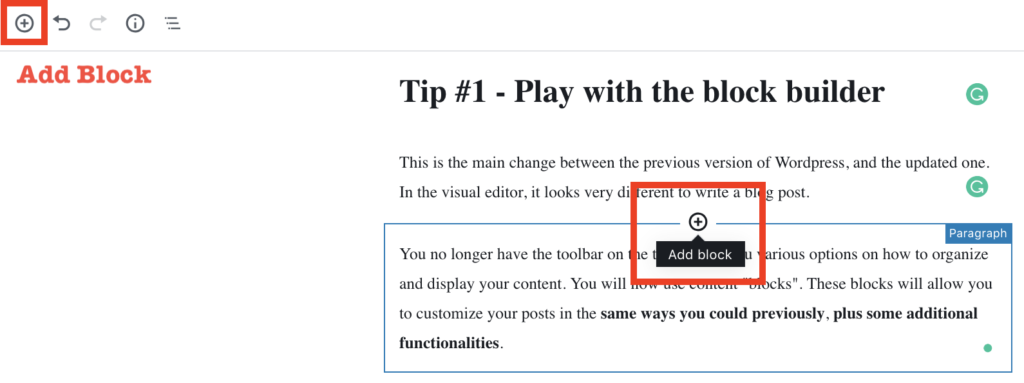
You no longer have the toolbar on the top, giving you various options on how to organize and display your content. You will now use content “blocks”. These blocks will allow you to customize your posts in the same ways you could previously, plus some additional functionalities.
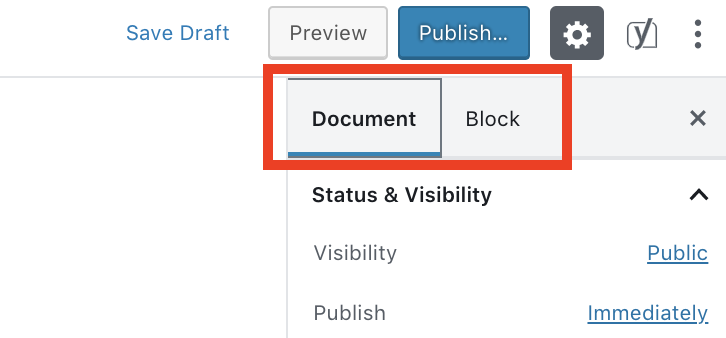
The most basic functions are the “add block” and “settings sidebar”.
Add Block
Settings Sidebar
Tip #2 – Explore the different block types
There are many block types you can choose from to build out your content. In this section, I will share the ones I like to use and how they are useful. I encourage you to explore the different options you have to build your posts and find out what is best for you and your brand.
Basic Blog Writing Blocks
For a basic post you will need the Heading and Paragraph blocks for writing.
Additional Content Blocks
There are blocks for Lists, Images, Files, Quotes, and many others to enhance your content. These allow you to create a more valuable content experience for your audience.
Layout Blocks
I use “layout blocks” to achieve a specific look to the blog post. This will allow you to further customize the look and feel of your blog posts. For example, the Button, Spacer, and Separator blocks are used for a more custom experience.
Embed Blocks
WordPress 5.0 makes embedding media from other sources easier than ever. With
Tip #3 – Install plugins for more block types
There are plugins you can install on your WordPress sites that give you more block types. Below is a short list of the plugins that can extend your blog’s functionality.
Check out the following plugins:
Tip #4 – Master your hotkeys
To work fast and efficiently, there are a few recommended “hotkeys” to remember and use while writing your blog posts. Note: the following hotkeys are for Mac users.
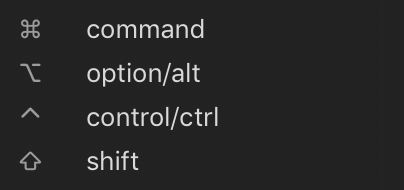
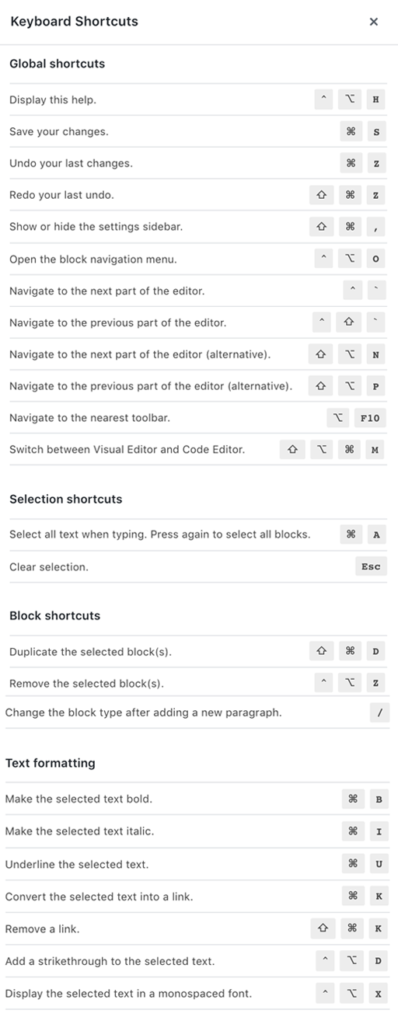
Tip #5 – Make it your workspace
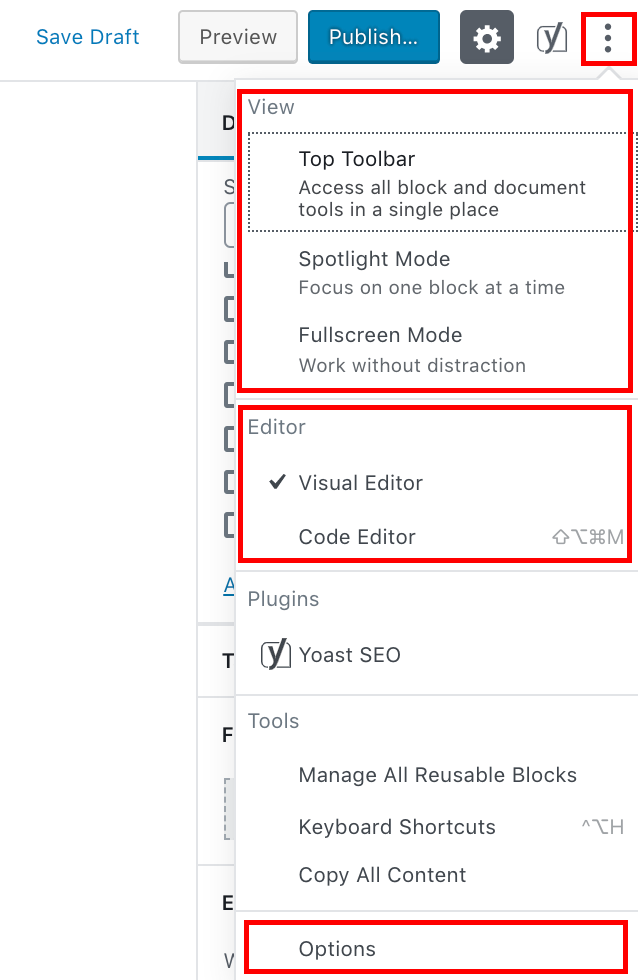
Customize Workspace Settings
By clicking the triple dot icon in the top-right of the workspace, you are given options to change the way your workspace layout looks. Select the options that work best with your workflow.
Reusable Blocks
An advanced feature in the new update is the ability to create custom blocks that you can reuse. Do you constantly find yourself re-formatting a specific area of EVERY post you write. Now you can wrap these design features into your own custom blocks for your brand.
To manage these blocks simply click “Manage All Reusable Blocks” in the main menu (same as above).
Again, I want to hear from you! What do you think about the new editor? Is it tough to use? Does it extend your former functionality as a content creator? Let me know in the comments below!
Make Your First Dollar, Online
Have you ever wondered about all those success stories you see of people making a living online? Hav…
5 Quick Tips for WordPress 5.0
The new version of WordPress [Wordpress 5.0] was released last week and after a bit of working with …
Password Security Basics
In today’s world, much of our life is online. We communicate, read, shop, work, search, a…